
The fibre box connects your home to the Redtrain network. It is separate from your Wi-Fi router.
Where to look
Start in the garage, hallway cupboard, laundry or a wall-mounted communications enclosure. In apartments it may be inside a communications cupboard near the entrance.
- Look for a powered box with labels such as PON, LOS, Network, LAN or Port.
- Follow any network cable that disappears into the wall or patch panel.
- Some metal or plastic enclosures need a Phillips-head screwdriver to open.
- Your Wi-Fi router may be in another room and connected through a wall socket.
Identify your model
Redtrain properties commonly contain one of the following devices. Match the shape, brand and front-panel labels—not just the colour of the cabinet.
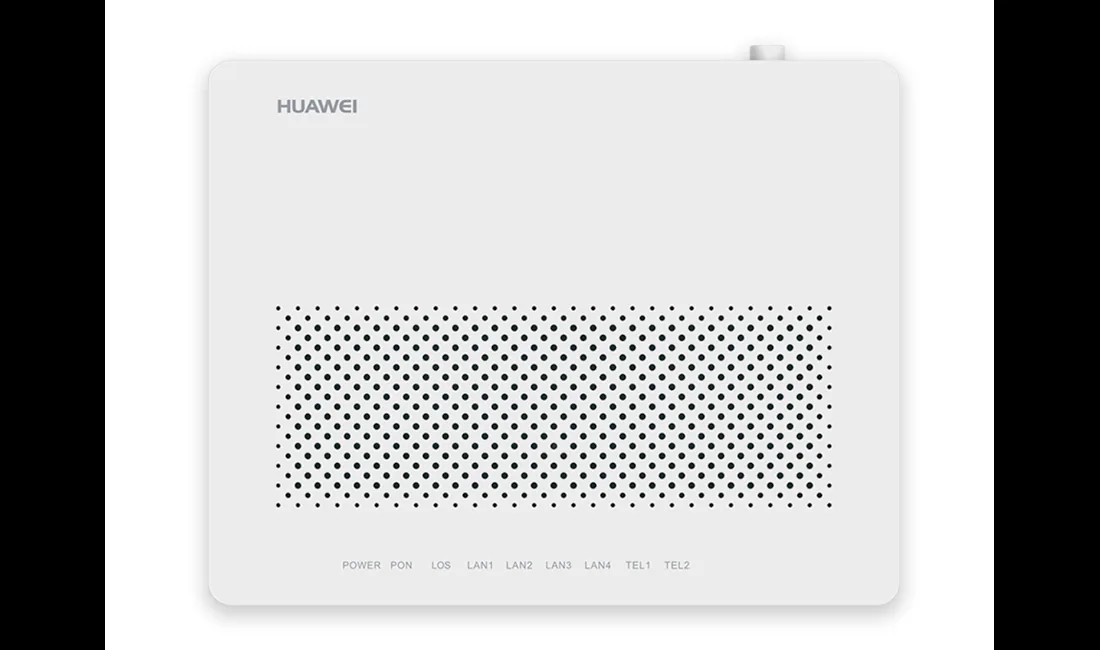
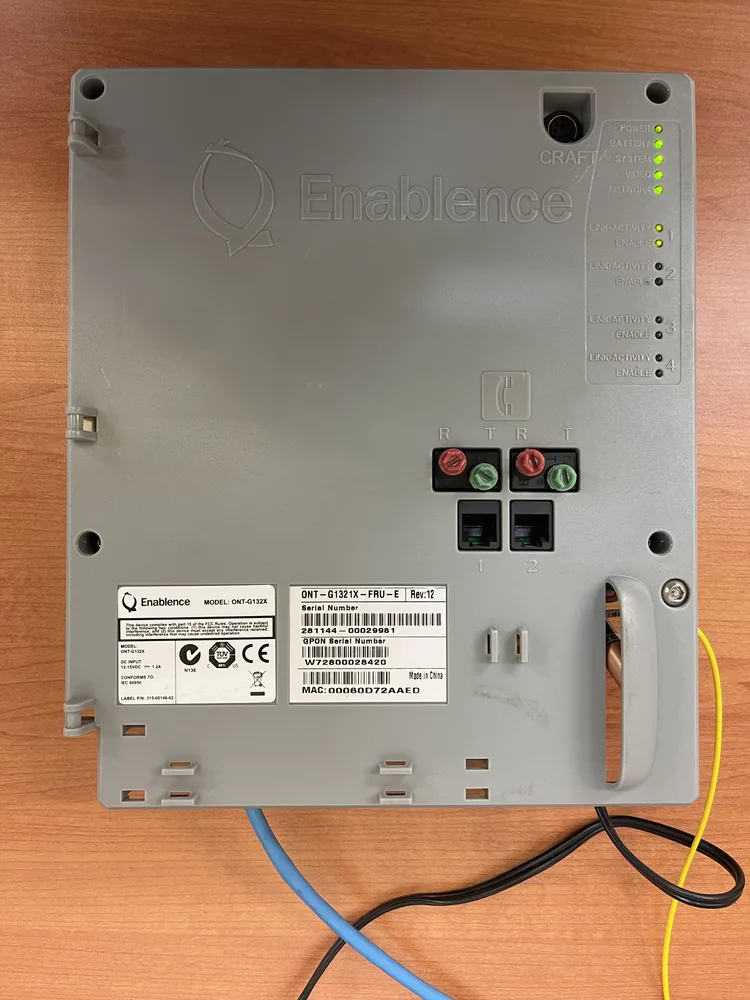
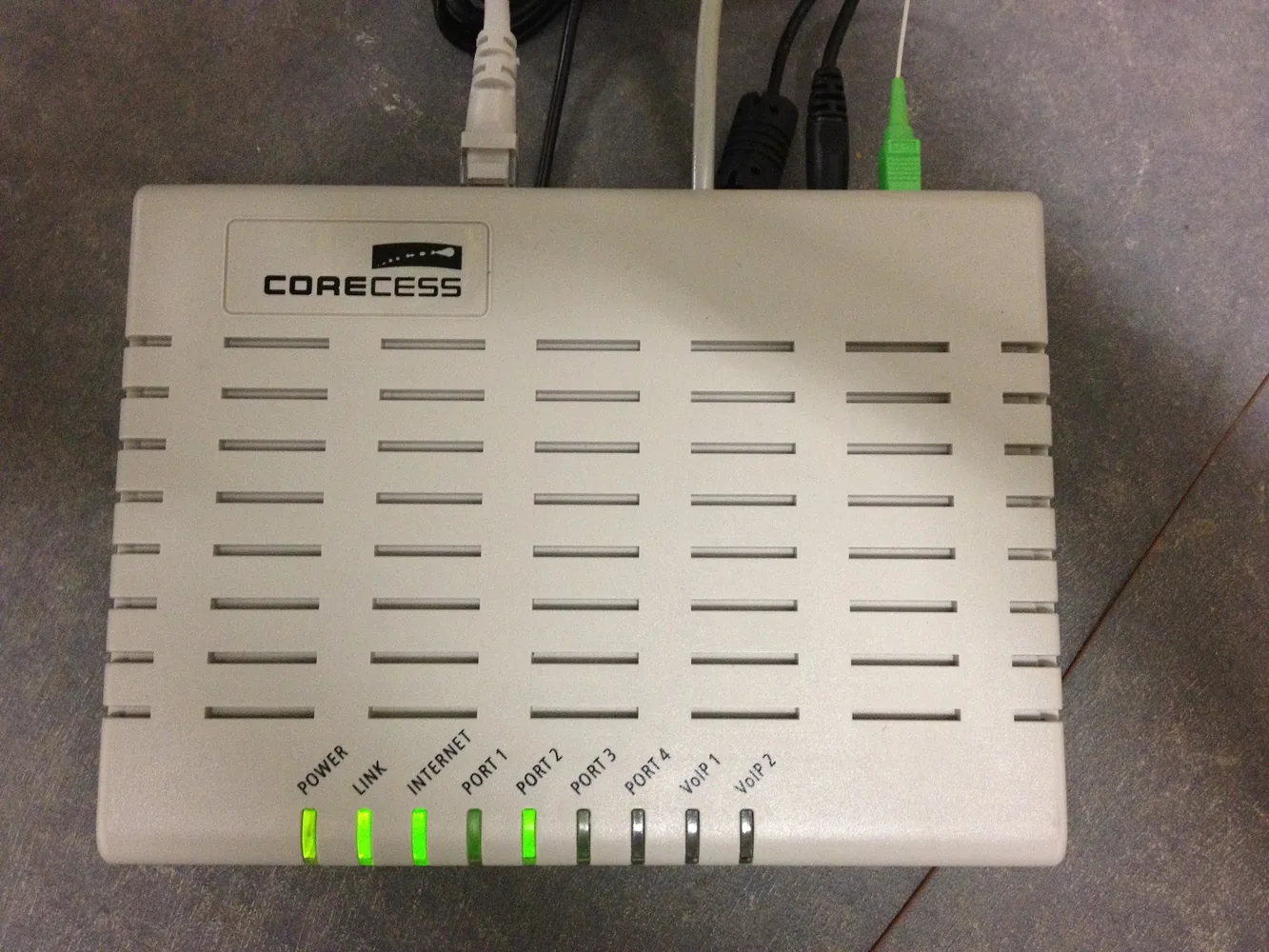
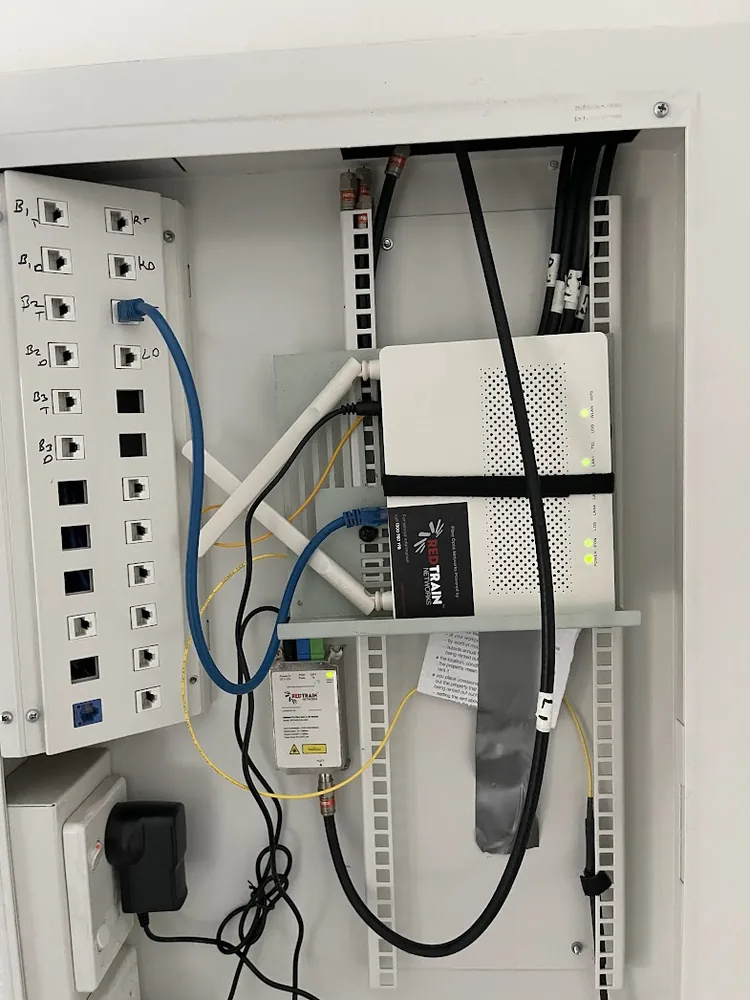
If the device does not match any photograph, take a clear photo of the front label and lights before contacting AFTEL.
What not to unplug
Do not bend, pull, or unplug the thin optical cable. Check your status lights without removing the unit from the wall.
If a Huawei box shows a flashing red LOS light, contact AFTEL. Changing the Wi-Fi password or router settings will not restore a lost optical signal.
It is safe to identify the Ethernet cable connected to LAN 1 or Port 1. Before moving it, take a photograph so you can return the cabling to its original position.